
AI on your own VPS: private models and agents
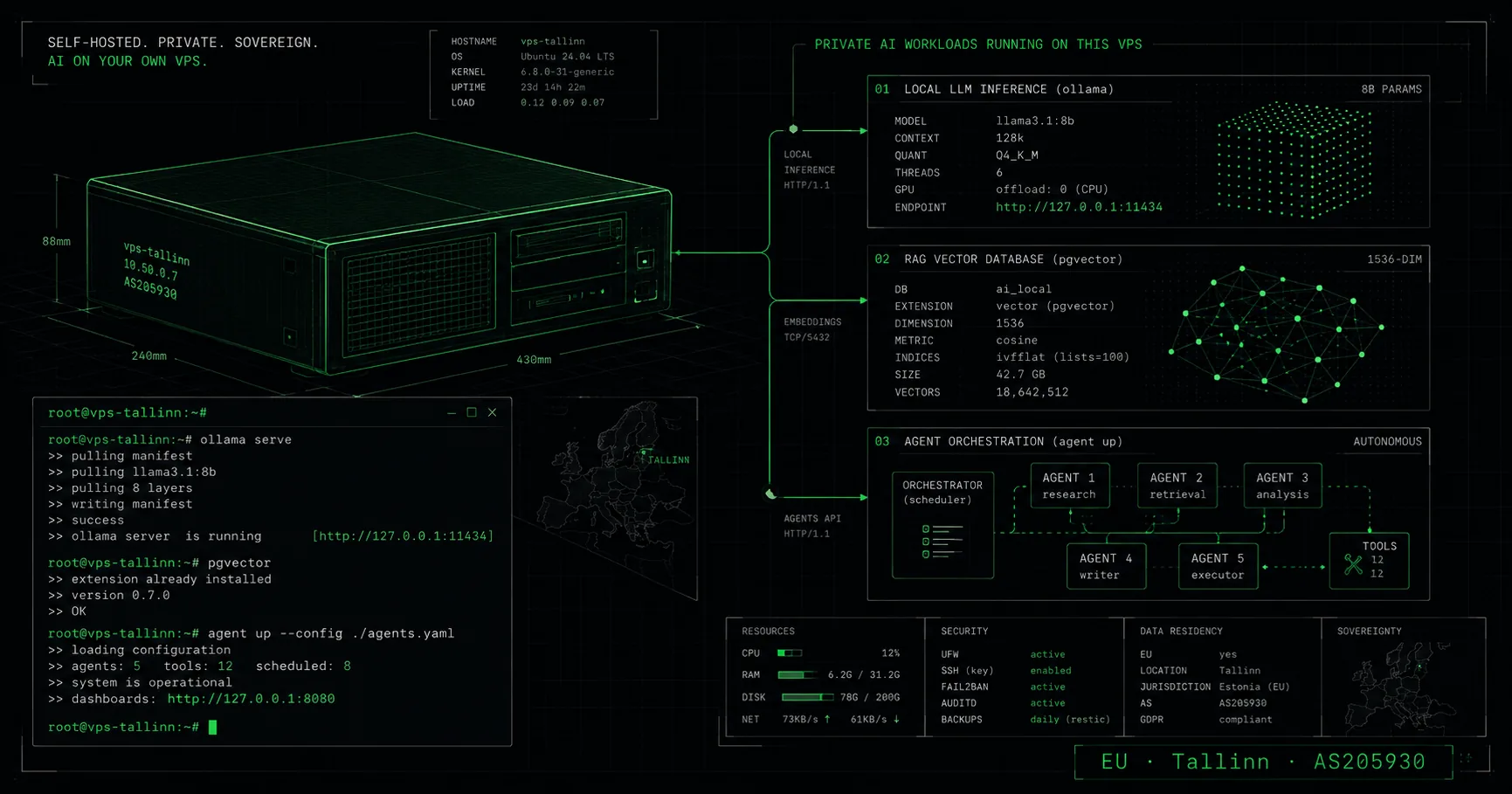
AI does not have to live in someone else’s cloud. On your own VPS you run local models, build RAG search over your own data and keep agents working around the clock - with full root control, in a European data centre. This guide looks at what a developer actually does with an AI server, what is realistic on a CPU-based VPS, and where to find the detailed setup guides.
Why run AI on your own server?
Three reasons: privacy, control and predictable cost. On your own VPS the data stays on your server in Europe - documents, conversations and embeddings never go to an external API. You decide which models and frameworks to install, and you pay a fixed monthly fee rather than a per-token bill. That is what a private AI server means in practice: the model, the index and the logs all stay on your own server.
An honest boundary: very large models and training need a dedicated GPU. Our VPS plans are CPU-based, so they suit small and mid-sized quantised models, RAG pipelines and orchestrating API-based agents. That covers a large share of real use cases without a GPU bill.
Local models: Ollama and open LLMs
Ollama makes running open models easy: one command pulls a model (Llama, Qwen, Gemma, Mistral, Phi) and opens a local API. Quantised 3-8 billion-parameter models run reasonably on CPU when there is enough RAM - the rule of thumb is to keep the model in memory and leave headroom for context.
RAM determines what you can run. C-XS’s 2 GB suits API-based workflows; for a local model and RAG, choose a larger plan (C-M to C-XXL, 8-32 GB). Start with a smaller quantisation, measure latency, and move to a bigger model only once the need is proven.
RAG and a vector database over your own data
RAG (retrieval-augmented generation) lets a model answer from your own documents without the data leaving your server. The workflow: chunk the documents, compute embeddings, store them in a vector database (pgvector in PostgreSQL, or ChromaDB), and at query time retrieve the closest passages as context for the model.
This is a VPS’s strongest AI use case: moderate RAM, CPU embeddings and a private database on your own disk. Internal company search, document Q&A or a support assistant then runs entirely under your control - no document reaches an external service.
Autonomous agents around the clock
An agent that runs continuously needs a machine that does not sleep. A VPS keeps the agent running (tmux or systemd), keeps its memory on disk and stays reachable even when your laptop is closed. The agent can use a local model or an API - the VPS is the orchestrator and its persistent home.
Practical examples - Claude Code for development, OpenClaw and Hermes as personal and learning assistants - plus detailed step-by-step setup guides live on our AI-focused sister site aiserver.ee. This page keeps the focus on the server itself; aiserver.ee shows how to stand the agents up on a VPS.
Virtuaal.com KVM VPS for AI
Our virtual servers give an AI workflow full root control, AMD EPYC hardware and NVMe SSD RAID storage in the CITIC Telecom data centre in Tallinn, on our AS205930 network - the data stays in Estonia. Choose the plan by model size: RAG and mid-sized models want more RAM (C-M to C-XXL, up to 32 GB).
Every plan includes free best-effort automatic backup (not guaranteed), full root access and the VirtFusion panel. Fixed plans start at C-XS, from €7.64/month on annual billing. For AI-agent inspiration and detailed setup guides → aiserver.ee.
Frequently asked questions
Ready to launch your virtual server?
See our KVM VPS plans - AMD EPYC, NVMe SSD RAID, full root and the VirtFusion panel. Servers in Tallinn.
See VPS plans