
WooCommerce on your own VPS
WooCommerce can run very well on shared hosting, and many shops do not need their own server or its operational overhead. A VPS becomes useful when the store needs isolated resources, custom PHP and database tuning, or root access for supporting services. This guide explains what the store gains technically, what becomes your responsibility and when a move is genuinely worthwhile.
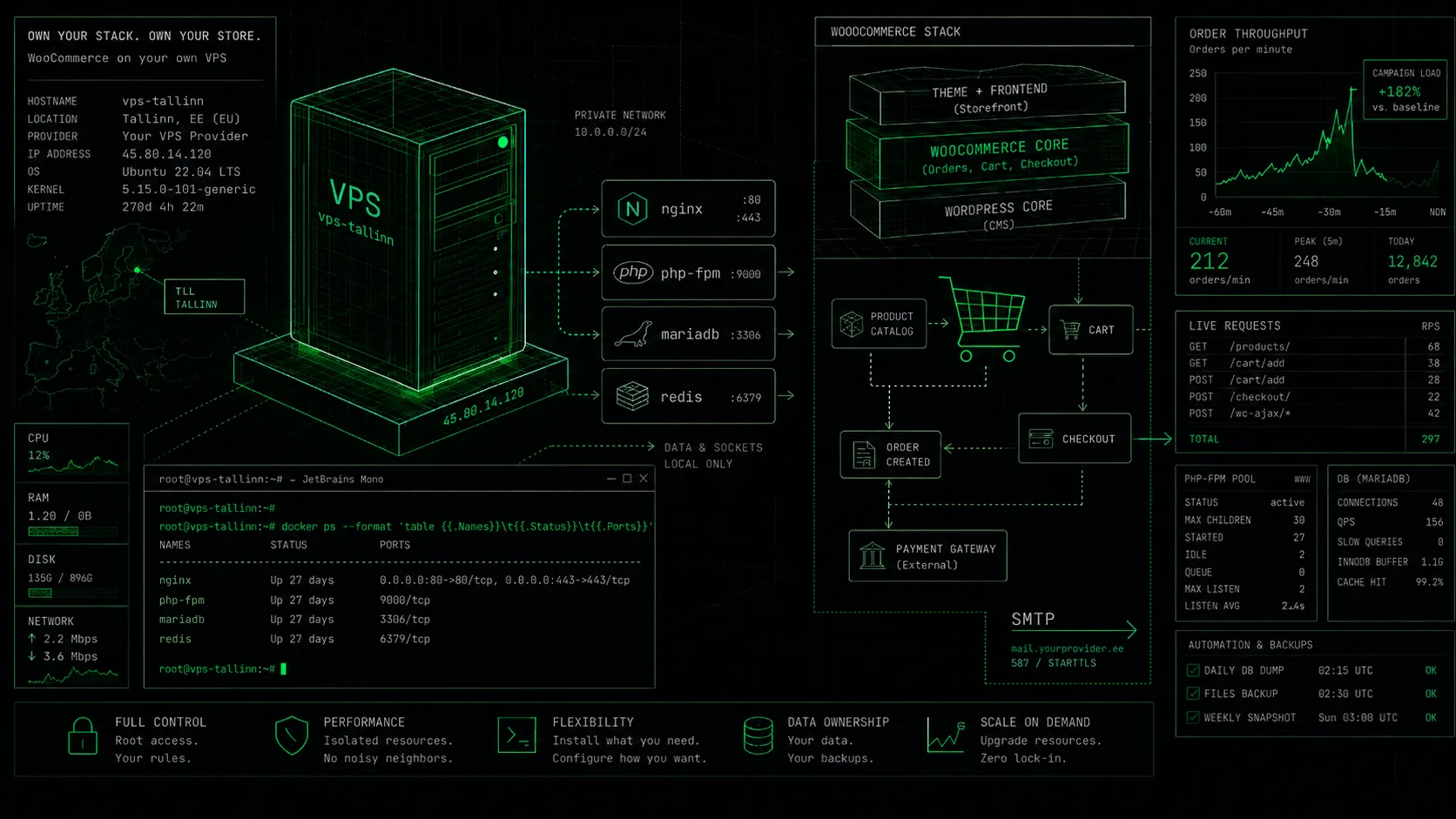
Why choose a VPS for WooCommerce?
A KVM VPS gives the store full root access and its own system layer. You can tune the PHP-FPM process pool, adjust MariaDB or MySQL buffers, install system services and tools (such as Docker or your own caching layer) and choose the OS - everything a managed platform does not expose. Shared hosting (CloudLinux LVE) also isolates resources and lets you pick the PHP version, but the system layer stays with the host.
That does not make shared hosting the wrong choice. A well-matched hosting plan serves many real online shops while the provider manages the platform, updates, backups and email. Choose a VPS to solve a specific resource constraint or operational requirement, not simply because “your own server” sounds more powerful. Note: for reliable delivery of store order emails, use an external SMTP service on a VPS.
LEMP or LAMP: the store’s software stack
A typical LEMP stack combines Nginx, PHP-FPM and MariaDB or MySQL; LAMP uses Apache in place of Nginx. Either can run WooCommerce well. The coherent setup matters more than the web-server label: a supported PHP release, OPcache, correct file permissions, HTTPS, reliable cron execution and a suitably sized PHP-FPM worker pool.
Redis is an optional WordPress object cache that can reduce repeated database work, but it cannot repair an inefficient query or a slow plugin. On a VPS, you install and constrain Redis yourself. You are also responsible for timely operating-system, PHP, database and WordPress updates and for configuring access securely.
Performance during campaigns and checkout load
Store traffic is uneven: a campaign can create catalogue requests, carts, checkout sessions and background integration jobs at the same time. Full-page caching helps product pages, but a personalised cart and payment flow cannot be cached in the same way. Available PHP-FPM workers, database latency and slow-query volume matter on those paths.
A VPS provides a stable RAM budget and your own PHP and database limits, but tuning should follow evidence. Watch memory, load average, the PHP-FPM queue, the slow-query log and WordPress cron duration. A larger plan will not fix a defective plugin; profile the bottleneck, change one variable and repeat a representative load test.
Backups, updates and a recovery plan
On shared hosting, backups are part of the managed service. Every VPS plan includes free best-effort automatic backup, which is not guaranteed, and VirtFusion lets you make manual restore points on the VPS disk. A manual point is useful before a risky update, but a point on the same disk is not an independent backup.
For WooCommerce, keep a separate copy of at least the database, wp-content and the server configuration, then test restoration. A database dump needs to be application-consistent, especially while orders are active. Plan operating-system and application updates, monitoring and security patches as well - an unmanaged VPS control panel does not perform that work for you.
When moving is actually worth it
A move is justified when measured memory, process or I/O limits in the shared environment are affecting sales, or when you need custom PHP/MySQL tuning, a separate worker or an integration that cannot run there. Keeping staging and production on the same stack can be another sound reason. If the shop is fast and a low-maintenance workflow is valuable, there is no obligation to move.
Virtuaal.com KVM virtual servers run on AMD EPYC processors with NVMe SSD RAID storage in the CITIC Telecom data centre in Tallinn, on our own AS205930 network. VirtFusion provides OS choice, rebuild, VNC console and Rescue Mode. Fixed plans range from C-XS (1 vCPU, 2 GB RAM) to C-XXL (16 vCPU, 32 GB RAM), from €7.64/month with annual billing.
Frequently asked questions
Ready to launch your virtual server?
See our KVM VPS plans - AMD EPYC, NVMe SSD RAID, full root and the VirtFusion panel. Servers in Tallinn.
See VPS plans